Shift a trade chain as one plan
Construction adds the sequence rules behind a Bauzeitenplan: trades, sections, waits, fixed dates and the dependent work that moves when one activity slips.
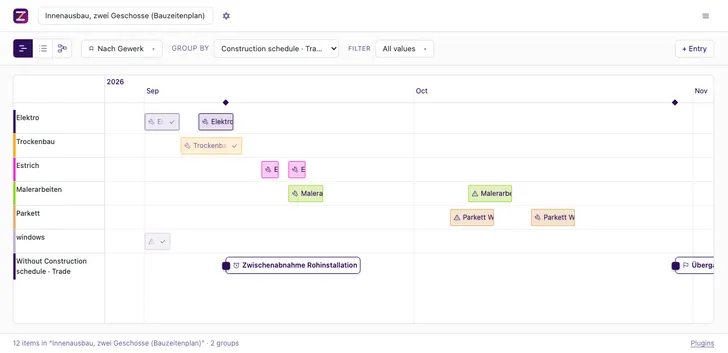
Put the scheduling rules into the records
Each activity can carry its trade, construction section, waiting time, fixed date and date binding. The plugin computes the earliest start from dependencies and the configured waits. Values such as trade catalogues and drying times stay project input; the plugin ships no universal defaults for them.
Check the chain before moving it
The conflict check reports overlapping work in a section, broken waits, fixed-date conflicts and schedule states it cannot judge. Filters can narrow the report while the computation still follows the whole dependency chain.
Move dependent work together
The chain-shift tool moves an item or trade and its transitive dependants by the requested number of days. Items with a fixed date stay in place. The result names every fixed date the shifted chain can no longer meet.
Current scope
The model uses calendar-day waits and finish-to-start dependencies. It reports cycles and refuses to compute through them. Weather effects, measured readiness and trade-pair-specific waits remain outside the current plugin model.
Use the example
- Open
src:example-bauzeitenplanfrom the example data. - Inspect the trade, section and fixed-date fields on an activity.
- Ask an agent to check conflicts or shift a dependent trade chain.
- Status
- In the repository
- Works with
- Filesystem Database
- Documentation
- src/plugins/construction/README.md