Run sprints without giving up your dates
Your roadmap and your sprints are the same records.
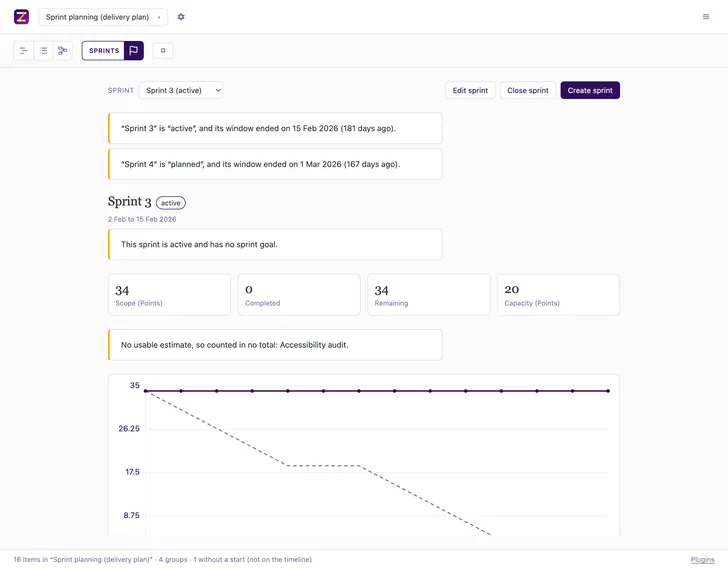
Sprint planning on a plan that keeps its dates
Sprints is a plugin for Zeitlines, a self-hosted planning tool, for teams who run Scrum sprints and still owe someone a dated plan. Each sprint carries a goal, a capacity and a burndown, on the timeline that already holds the roadmap. In Jira, Linear and Azure DevOps the dated plan lives in a second tool; here it is the same record.
Open a sprint and see where it stands
Its goal, the work in it, and a burndown drawn from today's items.
Keep the dates you planned
Assign work to a sprint and your dates stay put. Where the two disagree, the item is named.
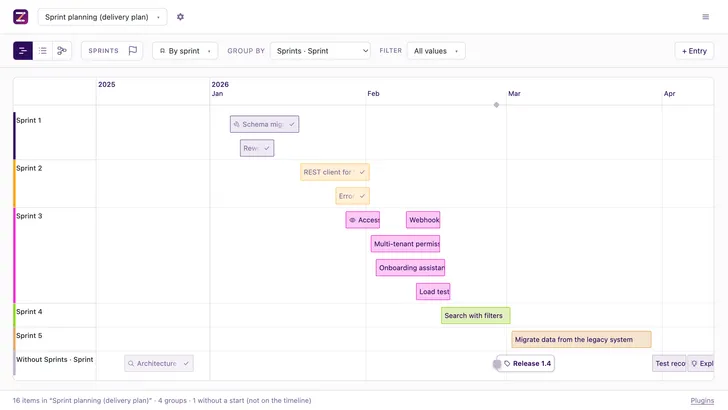
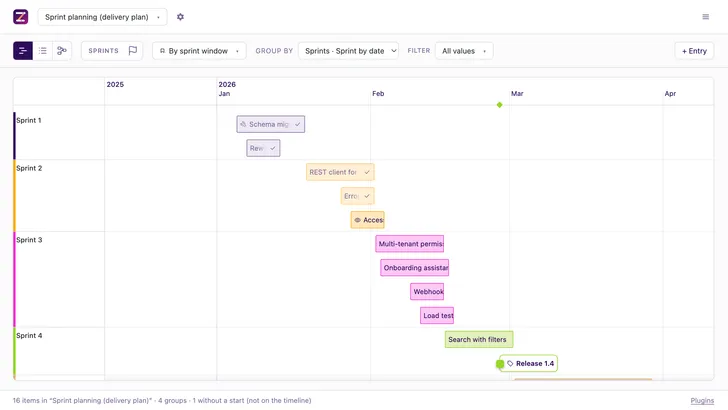
Read one plan two ways
Group the timeline by the sprint you assigned, or by the sprint the dates fall into. The accessibility audit sits in Sprint 3 above and in Sprint 2 here.
Freeze the result when you close
A closed sprint keeps the numbers it had. Editing an item afterwards changes nothing.
Send an agent in
Fill a sprint, hand unfinished work on, or ask where one stands, over MCP.
How to use
- Switch sprints on under Settings → Plugins.
- Set an anchor date and a sprint length.
- Assign work, and open the Sprint view.
- Status
- In the repository
- Works with
- Filesystem Database
- Documentation
- src/plugins/sprints/README.md
Frequently asked questions
- Does it plan people?
- No. Capacity is one number per sprint, so it cannot answer who is over-committed. There is no per-person capacity and no absence calendar.
- Can sprints have different lengths?
- No. Every sprint takes the same length from one anchor date. A single sprint may carry its own start and end, and the suggestion behind it still uses the configured length.
- What happens when a sprint’s window ends?
- Nothing. Sprints do not close themselves and work does not roll over on a timer. A sprint whose window has passed while it still says it is running is reported to you and to your agent.
- Where does unfinished work go when a sprint closes?
- Where you say: another sprint, or the backlog. There is no default, because the Scrum Guide returns unfinished work to the backlog while most tools push it into the next sprint.
- Do I need a database?
- No. A plan kept as a JSON file you own works. Postgres adds live editing for several people at once.